
Astrodon
Client Portal Registration Guide
Registration Procedure
Registration Process
Follow the steps below to register, verify your email address, and access the Astrodon Client Portal using your new credentials.
1
Step One
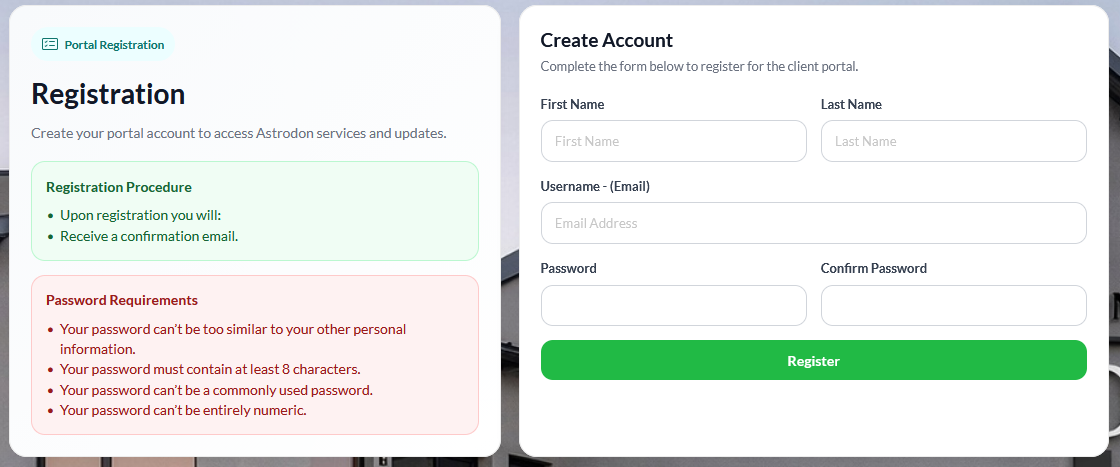
Complete the Registration Form
Fill in all required registration details on the Register page.
First Name
Last Name
Username (Email Address)
Password (entered twice to confirm accuracy)
Register Screen
2
Step Two
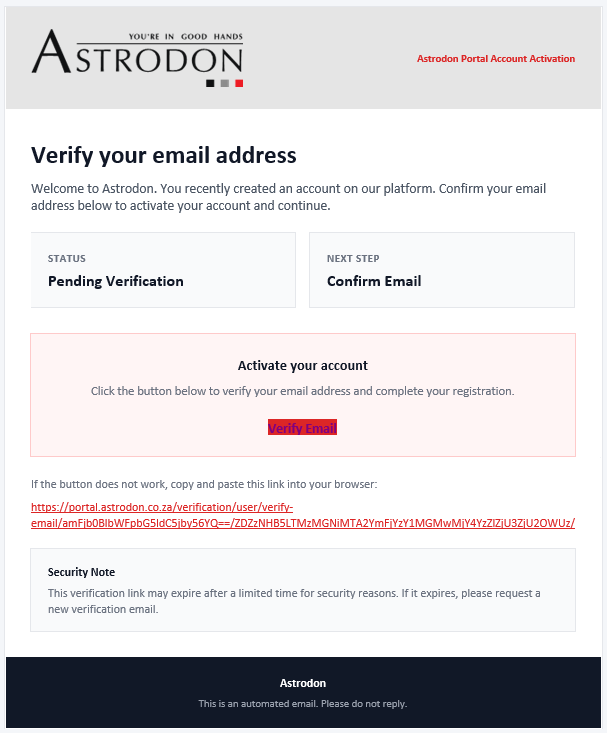
Check Your Email
After selecting Register, you will receive an email from
portal@astrodon.co.za.
This is a system-generated email address. Please do not reply to this email.
Verification Email
3
Step Three
Verify Your Email
Click the Verify button in the email you received.
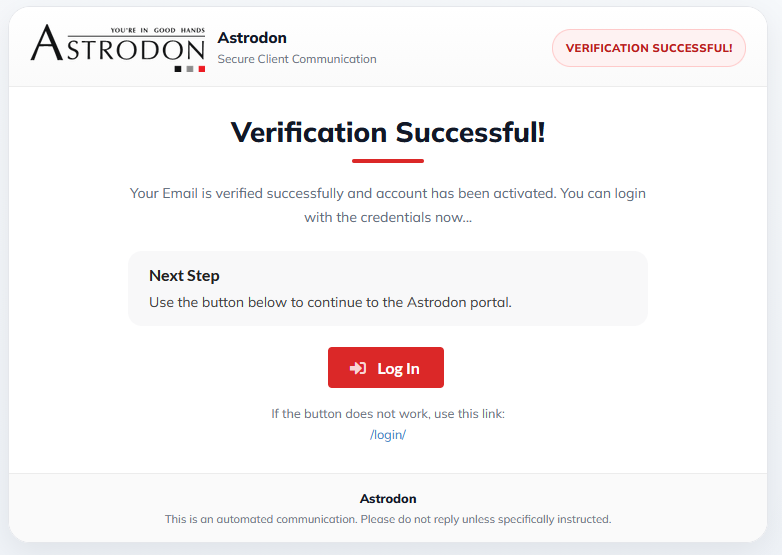
A link will open in your web browser and redirect you to the verification confirmation screen.
Verification Confirmation
4
Step Four
Log In to the Client Portal
On the verification confirmation screen, click the Log In button.
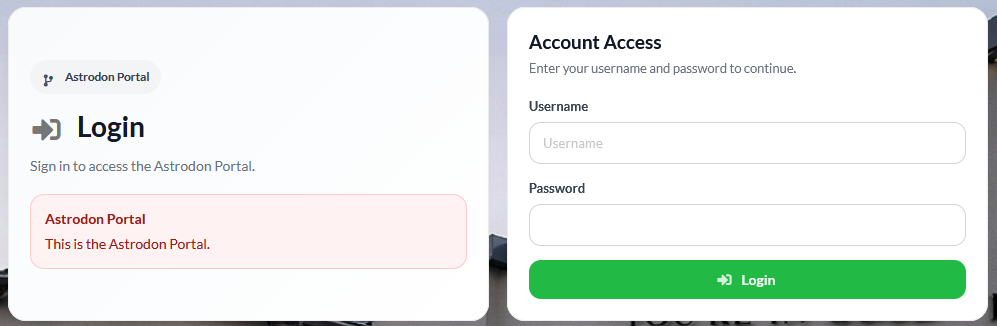
This opens the Astrodon Client Portal login screen.
Enter the Username (Email Address) and Password created during registration to access the Client Portal.
Login Screen
Registration Complete
Upon successful completion of the above steps, registration will be complete. You may now log in to the Astrodon Client Portal using your registered credentials.